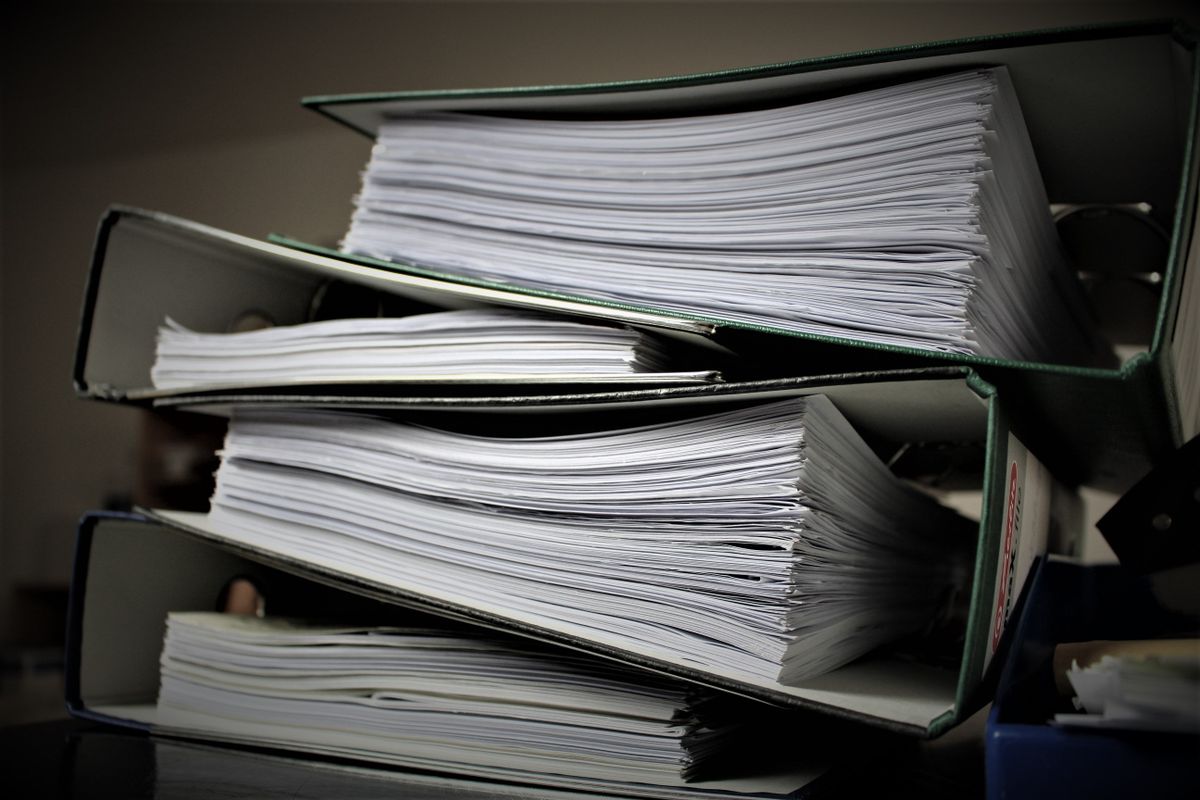
The binder in the site trailer holds 140 SDSs, half of them photocopies of photocopies. Scanning it took an afternoon. Turning the scans into an inventory the crew can search is the part that used to take a week of typing. Software reading does it in minutes now. What it doesn't do on its own is prove that the record matches the page, and on a faint scan with Section 8 split across two pages, that's where the checking goes.
You can build a chemical inventory from scanned SDS PDFs. 29 CFR 1910.1200(e)(1)(i) requires the list to use product identifiers referenced on the appropriate SDSs and prescribes no method. Check each record against its source page, especially the identifier, Section 2 and Section 8, and keep the SDSs readily accessible under 1910.1200(g)(8).
At a glance: Building the list from scans is allowed; the method is yours (1910.1200(e)(1)(i)). Check the product identifier against Section 1 and the container. Check page coverage: Section 8 and Section 16 are near the end. Don't guess: a missing pictogram, a blank field and "No data available" (1910.1200(g)(3)) are three different things. Keep units and conditions with Section 8 values. The SDS stays accessible to employees ((g)(8)).
What OSHA asks of the list, and of the SDS
The written program's chemical list, under 29 CFR 1910.1200(e)(1)(i), uses "a product identifier that is referenced on the appropriate safety data sheet". It can cover the whole workplace or individual work areas. How you build it is up to you: typing, importing a spreadsheet, or software reading the PDFs.
The SDS is a separate duty. Under 1910.1200(g)(8), employees have ready access to the sheets during each work shift in their work areas, and electronic access is allowed when nothing blocks immediate access. A good inventory record helps a worker find the right sheet. It doesn't stand in for it. Construction applies the same rule through 1926.59.
How HazComFast reads a scanned SDS
HazComFast reads the supplier's SDS whether it's a clean PDF or a scan, in English or Spanish, and keeps the file attached exactly as received. It shows how many pages the document has, so you can check that count against the scan before you look at a single field.
Then a person checks what was read. Before a new product is saved, the screen lists each field to compare with the SDS, product name, manufacturer, signal word, hazard statements, first aid, exposure controls and PPE, and revision date, with a link to each, and counts what's left. A product still waiting for that check is marked "Extraction to review" in the inventory. When the hazard codes alone don't settle a category, HazComFast says so and lets the SDS decide. It never guesses a pictogram.
On the product page, each value says where it came from, read from the SDS or changed by a person, with the reviewer's name and date. Section 8 is shown as the manufacturer wrote it, conditions included.
Check the product identifier first
Compare the record with Section 1 of the SDS, which Appendix D to 1910.1200 reserves for product identification, and with the container the crew will handle. A scan can cut off a grade, a catalyst designation or a color at the page edge. If that's what tells two products apart, the record attaches the wrong SDS to a convincing name.
Keep the product identifier and the ingredients apart. Section 3 lists components with their CAS numbers. The clearest number on the page may belong to one ingredient of a mixture. It isn't the product's identifier. The SDS reading guide explains each section.
For a binder scanned into one PDF, find where each SDS starts. A new Section 1 halfway through marks a new product; a repeated footer is usually the same one continuing. Split by product identifier and revision date before attaching files to records.
Check that every page made it
A long SDS can run twelve pages, and the sections the crew acts on are near the end: Section 8 for exposure controls and protective equipment, Section 16 for the date of preparation or last revision, both required by Appendix D. Compare the page count of the file with what you scanned. Then read Section 8 in full, including any part that continues onto the next page.
Tables are where scans break. A heading on one page and its values on the next; a column that drifted. Compare the full entry, not the first line under the heading.
What a reader must not guess
Under 29 CFR 1910.1200(d)(1), classification is the manufacturer's or importer's job, and employers may rely on it. A reader, software or human, shouldn't fill a gap with a category that sounds right for the kind of product.
Three things look alike on a scan and mean different things:
| What you see | What it means | What to do |
|---|---|---|
| "No data available" printed on the SDS | The preparer found no applicable information for that item, as 1910.1200(g)(3) requires them to say | Keep the statement with the field it describes |
| A blank field in the record | The software didn't read a value | Look at the page; correct from the source, or ask for a legible copy |
| No pictogram | Either a symbol given by name (Appendix D, Section 2) or a category with no pictogram (Appendix C) | Read the classification; the aerosol Category 3 guide has one example |
None of them allows inventing an exposure limit, a glove material or a hazard statement.
Section 8: values with their units and conditions
Compare exposure limits character by character: the decimal point, a "less than" sign, the unit. 5 mg/m³ and 0.5 mg/m³ are not a rounding question, and a number without "ppm" or "mg/m³" can't be read at all. Keep the source designation with it, OSHA PEL, ACGIH TLV or other.
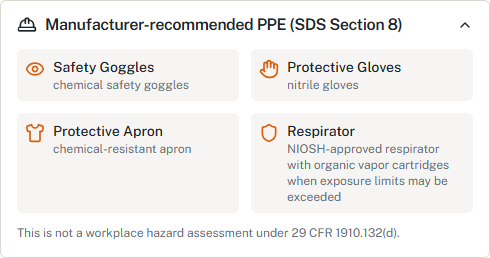
Protective equipment comes with conditions: a respirator "when exposure limits may be exceeded", gloves for a given contact time. A short summary that keeps "nitrile gloves" and drops the condition says more than the supplier did. Your own PPE hazard assessment under 29 CFR 1910.132(d) and the protective measures you train on under 1910.1200(h)(3)(iii) start from the full entry.
Spanish scans and unreadable pages
A Spanish SDS read correctly is still a Spanish SDS. Under 1910.1200(g)(2), the supplier provides it in English, and you may keep copies in other languages. Does OSHA require SDSs in Spanish? covers both sides.
A page you can't read, you can't check. Ask the supplier for a legible copy instead of accepting what the software made of it.
From the binder to an inventory you can trust
Check an SDS against the 16 sections free, or bring your scanned SDSs into HazComFast, where each value is read from the page and confirmed by a person.
Related: How accurate is AI at reading SDSs? · The 16 sections of an SDS · The supplier's SDS has an error
Sources & verification: 29 CFR 1910.1200(d)(1), (e)(1)(i), (g)(2), (g)(3), (g)(8), (h)(3)(iii); Appendix C; Appendix D, Sections 1 to 3, 8, 16; 29 CFR 1910.132(d); 29 CFR 1926.59. General guidance, not legal advice.*
Frequently Asked Questions
Can a scanned SDS be used to build OSHA's chemical list?
Yes. 29 CFR 1910.1200(e)(1)(i) requires the list to use a product identifier referenced on the appropriate SDS and prescribes no method for building it. Check each identifier against its sheet, and keep the SDSs themselves readily accessible under 1910.1200(g)(8).
Does OSHA require OCR or a particular import method?
No. 29 CFR 1910.1200(e)(1)(i) and (g)(8) set what the list contains and how employees reach the SDS. Reading a scan by software, by OCR or by hand is a method; checking the result against the page is what makes it usable.
What if the scan shows no pictogram?
Don't add one from a blank. Appendix D to 29 CFR 1910.1200, Section 2, allows a symbol to be given by name instead of as a graphic, and Appendix C assigns no pictogram to some categories. Read the classification before deciding anything is missing.
What does 'No data available' on an SDS mean?
Under 29 CFR 1910.1200(g)(3), when no relevant information is found for a required item, the preparer marks that no applicable information was found. It's the supplier's statement about that item, not a statement that the chemical is harmless, and it's different from a field the software couldn't read.
Can the inventory record replace the SDS?
No. A product record is a summary. 29 CFR 1910.1200(g)(2) and Appendix D define the SDS, and (g)(8) requires employees to have ready access to it during each work shift. The inventory helps them find it.
Site-wide regulatory figures such as compliance dates and penalty amounts come from our regulatory source-of-truth modules, last checked against the eCFR, OSHA.gov, and the Federal Register on October 5, 2026. Last reviewed October 13, 2026.
About This Article
Published by: HazComFast
Published: October 13, 2026
Last Updated: October 13, 2026
This content is for informational purposes only and does not constitute legal advice.