
Form 301 is one page. It takes five minutes to fill out badly and fifteen to fill out well, and the difference shows up later: in an inspector's question, an insurer's file, a lawyer's discovery request, a 300A that doesn't reconcile. This guide walks the official form, the 2004 revision OSHA still distributes in its recordkeeping forms package, from item 1 to item 18 and the signature block.
OSHA Form 301, the Injury and Illness Incident Report, has 18 numbered items in three blocks: the employee, the physician or other health care professional, and the case; it must be completed within seven calendar days of receiving information that a recordable injury or illness occurred, under 29 CFR 1904.29(b)(3), and kept for five years under 29 CFR 1904.33(a).
At a glance: One 301 per recordable case, within 7 calendar days of learning of it (29 CFR 1904.29(b)(3)). Equivalent forms are fine if they carry every item (1904.29(b)(4)). Items 1 to 5: the employee. Items 6 to 9: the treating professional and where care happened. Items 10 to 18: the case, including the four descriptive questions (14 to 17), where the form asks for no personally identifiable information. Completed by, title, phone and date at the bottom. Keep it 5 years (1904.33(a)).
Before item 1: when, which form, how long
The 301 is due within seven calendar days of receiving information that a recordable injury or illness has occurred, under 29 CFR 1904.29(b)(3), the same deadline as the line on the OSHA 300 Log. The clock runs from the information, not the injury date, which matters for an illness that surfaces weeks later or an injury that turns recordable after a second clinic visit.
You can use another form. 29 CFR 1904.29(b)(4) accepts an equivalent that contains the same information, is as readable and understandable, and is completed using the same instructions. The form itself says some state workers' compensation and insurance reports may be acceptable substitutes, as long as they contain all the information Form 301 asks for. In practice, a first report of injury often misses item 12 or item 14, so keep a one-page supplement.
The completed form stays on file for five years following the year it covers, under 29 CFR 1904.33(a).
Items 1 to 5: information about the employee
- Full name. The employee's legal name. A privacy case still needs the real name here: the 301 is not posted, and 29 CFR 1904.29(b)(6) through (b)(9) handle privacy on the 300 Log, not on the 301.
- Street, city, state, ZIP. The home address.
- Date of birth.
- Date hired. For a temp you supervise day to day, the date they started working for you is the useful one; 29 CFR 1904.31 puts that worker's case on your Log.
- Male or female.
These five items are why the 301 is a confidential document. They are also why the employee's own copy and a union representative's copy are different documents, which comes up again at the end.
Items 6 to 9: the physician or other health care professional
- Name of the physician or other health care professional. The person who treated the employee, if anyone.
- If treatment was given away from the worksite, where. Facility, street, city, state, ZIP. Leave it empty when all care happened on site.
- Was the employee treated in an emergency room? Yes or no.
- Was the employee hospitalized overnight as an in-patient? Yes or no.
Item 9 deserves a second look. An in-patient hospitalization within 24 hours of the incident is also a report to OSHA within 24 hours, under 29 CFR 1904.39(a)(2), and the regulation's definition is a formal admission for care or treatment, 29 CFR 1904.39(b)(9). A "yes" on item 9 should send someone to check whether that call was made. The 8-hour clock article has the timing.
Items 10 to 13: the case, in numbers
- Case number from the Log. The form tells you to transfer it after you record the case. The case number is what ties the 301 to its line on the 300 Log, and it is how you find the 301 when the employee or an inspector asks for it.
- Date of injury or illness. The date the incident happened, or for an illness, its onset: the same date as column D of the Log, which reads "Date of injury or onset of illness".
- Time the employee began work. Hours and minutes, AM or PM. Fatigue questions start here.
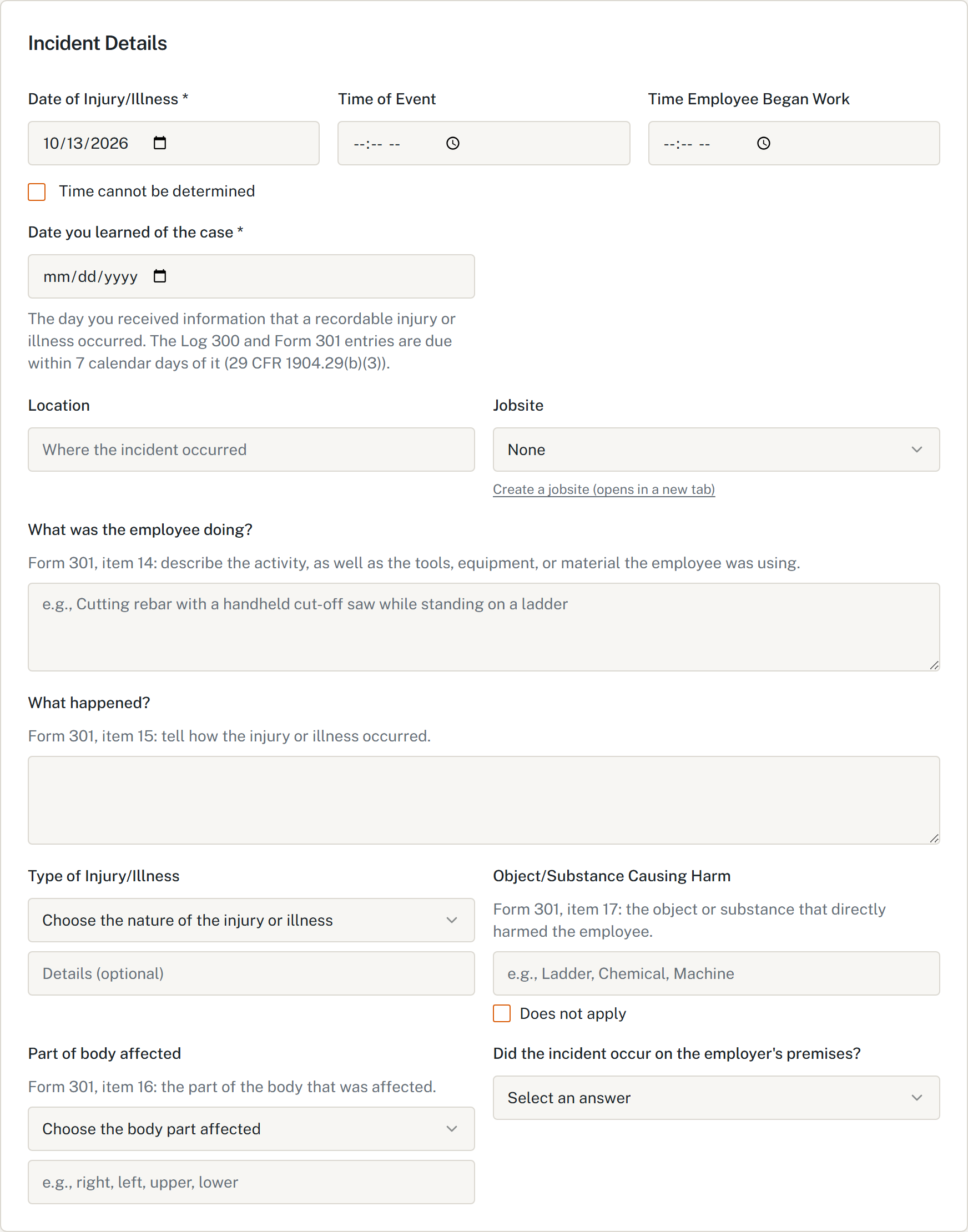
- Time of event. Hours and minutes, AM or PM, and a box to check if the time cannot be determined. Check the box rather than guessing, for a strain that built up over a shift or an illness with no single moment.
Items 14 to 17: the four questions that tell the story
The current form puts an asterisk on these four items, with a note: do not include any personally identifiable information about the workers involved, such as names, phone numbers or Social Security numbers. Establishments covered by 29 CFR 1904.41(a)(2) submit their 301 information to OSHA electronically, and these are the fields that describe the case. Write "the employee", "a coworker", "the foreman" instead of names.
- What was the employee doing just before the incident occurred? The activity, and the tools, equipment or material in use. The form's own examples: "climbing a ladder while carrying roofing materials", "spraying chlorine from hand sprayer". Be specific: "cutting rebar with a handheld cut-off saw on a stepladder" says more than "cutting".
- What happened? How the injury occurred. "When ladder slipped on wet floor, worker fell 20 feet." One or two sentences, in order, with the cause.
- What was the injury or illness? The part of the body and how it was affected: "strained back", "chemical burn, hand", "carpal tunnel syndrome". "Hurt" is not an answer.
- What object or substance directly harmed the employee? "Concrete floor", "chlorine", "radial arm saw". If the question does not apply, the form says to leave it blank.
Items 15 and 16 are also the raw material for the Log's description in column F. For a privacy case, the Log's description is the generalized one 29 CFR 1904.29(b)(9) allows, and the 301 keeps the detail.
Item 18: date of death
- If the employee died, when did death occur? The date of death. A death within 30 days of the incident is also a report to OSHA within 8 hours of the death, under 29 CFR 1904.39(a)(1) and (b)(6).
The signature block
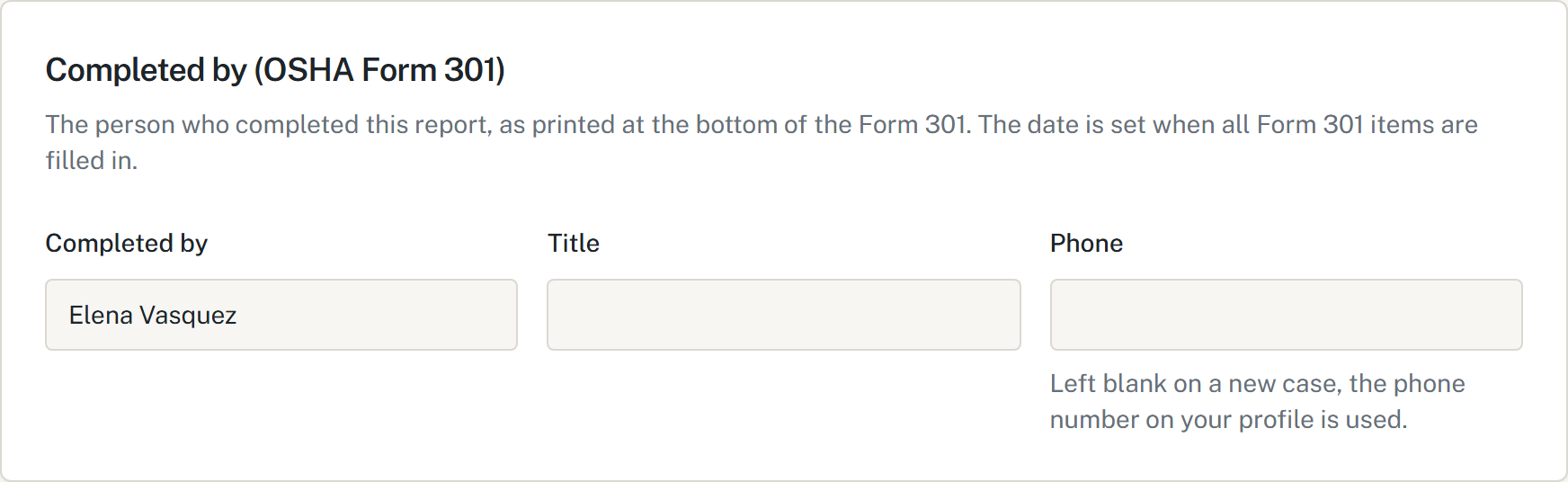
At the bottom: Completed by, Title, Phone and Date. Put the person who completed the report, not the person who will sign the 300A. The date matters more than it looks: it is the evidence that the 301 met the 7-day deadline of 29 CFR 1904.29(b)(3).
Who gets a copy, and of what
29 CFR 1904.35 gives two different rights to the same form.
- The employee, a former employee or a personal representative asking about their own injury or illness gets a copy of the 301 by the end of the next business day, under 29 CFR 1904.35(b)(2)(v)(A).
- An authorized employee representative gets copies within 7 calendar days, but only of the section the rule calls "Tell us about the case", and you must remove all other information, under 29 CFR 1904.35(b)(2)(v)(B).
A 301 with the home address and date of birth intact should never go to a union steward, a general contractor or a prequalification portal. The article on giving the 300 Log to a GC covers what to send instead.
How HazComFast fills the 301
The 301 in HazComFast follows the official form and says so on the screen. Each descriptive field carries its item number and the form's own instruction: item 14 asks for the activity and the tools, item 15 for how the injury occurred, item 16 for the part of the body, item 17 for the object or substance, with a "Does not apply" box that leaves it blank the way the form says. Item 7 notes that it applies only when treatment was given away from the worksite, and item 13 has the same "Time cannot be determined" box as the paper form.
The date you learned of the case is a required field, explained under it with 29 CFR 1904.29(b)(3), and the seven-day due date is counted from it. A separate block handles severe injury reporting under 29 CFR 1904.39: it asks when you, or any of your agents such as a supervisor, learned of the incident, and it puts the 8- or 24-hour deadline on the case. At the bottom, "Completed by" is filled from your profile, and the date is set when all Form 301 items are filled in.
Fill the 301 once, with the form's own words
Use the free 301 builder to print a single report, or keep every case in HazComFast with its item numbers, its seven-day due date and its line on the 300 Log.
Related: OSHA Forms 300, 300A and 301 · Who can see the OSHA 300 Log · The near miss that turned into an injury · When does OSHA's 8-hour clock start?
Sources & verification (read 2026-10-13): OSHA Form 301 (Rev. 04/2004) in OSHA's recordkeeping forms package, items 1 to 18, the note on items 14 to 17 and the instructions block; 29 CFR 1904.29(b)(3), (b)(4), (b)(6) to (b)(9); 1904.31; 1904.33(a); 1904.35(b)(2)(v)(A) and (B); 1904.39(a)(1), (a)(2), (b)(6), (b)(9); 1904.41(a)(2), on osha.gov. General guidance, not legal advice.*
Frequently Asked Questions
How soon must OSHA Form 301 be filled out?
Within seven calendar days of receiving information that a recordable injury or illness has occurred. 29 CFR 1904.29(b)(3) applies the same deadline to the OSHA 300 Log entry and the 301 Incident Report.
Can I use a workers' compensation form instead of OSHA Form 301?
Yes, if it carries everything Form 301 asks for. 29 CFR 1904.29(b)(4) accepts an equivalent form that contains the same information, is as readable and understandable, and is completed using the same instructions. Most first reports of injury lack some items, such as the time the employee began work or what the employee was doing just before, so add a supplement.
How long do I keep the 301?
Five years following the end of the calendar year it covers. 29 CFR 1904.33(a) sets the same retention for the 300 Log, the privacy case list, the annual summary and the 301 forms.
Who can get a copy of a Form 301?
The injured employee, a former employee or a personal representative gets their own 301 by the end of the next business day under 29 CFR 1904.35(b)(2)(v)(A). An authorized employee representative gets, within 7 calendar days, only the section the rule calls 'Tell us about the case', with all other information removed, under 1904.35(b)(2)(v)(B).
What should I leave out of items 14 to 17?
Personally identifiable information. The current OSHA Form 301 asks employers not to include names, phone numbers or Social Security numbers in items 14 to 17, the descriptive fields. Establishments covered by 29 CFR 1904.41(a)(2) submit their 301 information to OSHA electronically.
Site-wide regulatory figures such as compliance dates and penalty amounts come from our regulatory source-of-truth modules, last checked against the eCFR, OSHA.gov, and the Federal Register on October 5, 2026. Last reviewed October 13, 2026.
About This Article
Published by: HazComFast
Published: October 13, 2026
Last Updated: October 13, 2026
This content is for informational purposes only and does not constitute legal advice.