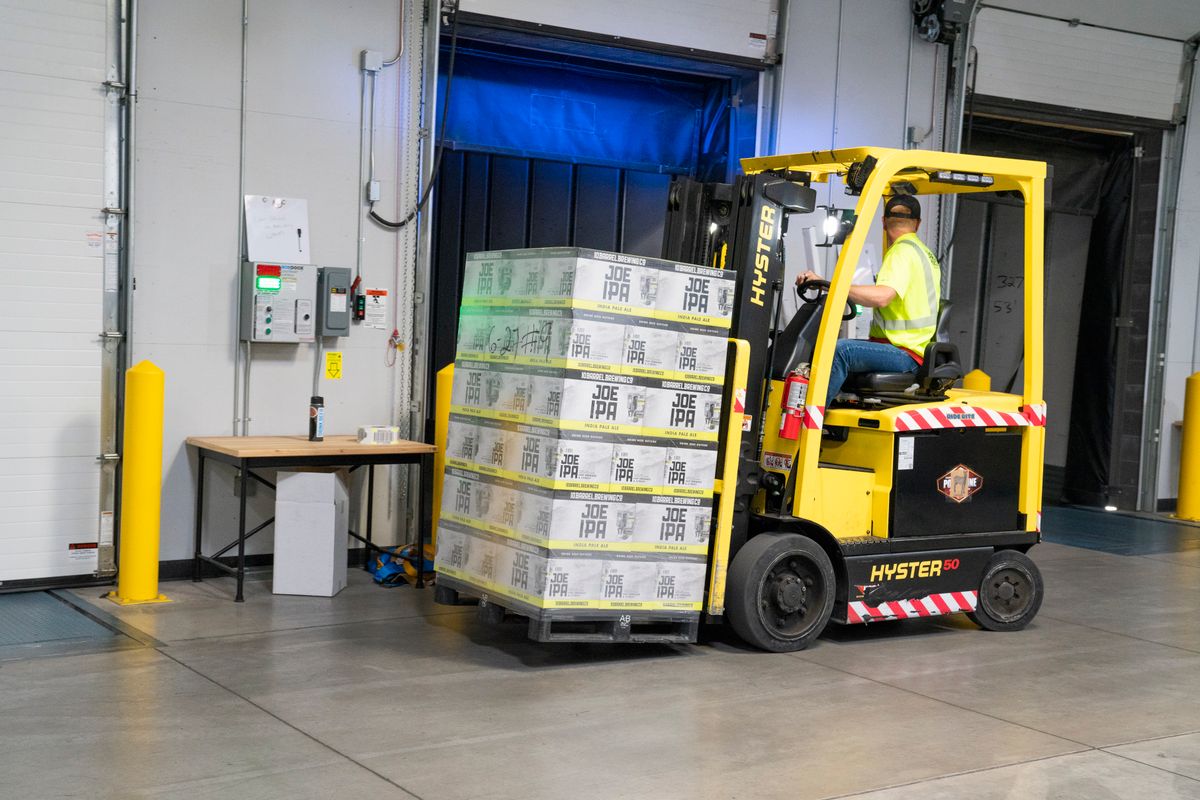
OSHA does not set one universal inspection frequency for construction equipment — each standard sets its own. Forklifts must be examined before each shift and at least daily (29 CFR 1910.178(q)(7)); scaffolds before each work shift by a competent person (29 CFR 1926.451(f)(3)); fall-protection harnesses before each use (29 CFR 1926.502(d)(21)); fire extinguishers monthly with annual maintenance (29 CFR 1910.157(e)); cranes on a shift, monthly, and annual cycle (29 CFR 1926.1412). The single thread that runs through all of them is the same: when OSHA investigates an incident, the first question is "Where are your inspection records?" — and "we inspect it but don't write it down" is a losing answer.
This guide covers what to track across an asset's full lifecycle (purchase → in-service → inspection → repair/retirement), the exact OSHA frequency and recordkeeping rule for each major equipment type, how long to keep the records, and the most common mistakes that turn a routine audit into a citation.
At a glance: each standard sets its own clock — forklifts before each shift (1910.178(q)(7)), scaffolds before each work shift by a competent person (1926.451(f)(3)), harnesses before each use (1926.502(d)(21)), extinguishers monthly with annual maintenance (1910.157(e)), cranes on shift, monthly and annual cycles (1926.1412). Only some of those carry a written-record duty, and the 30-year figure people quote belongs to exposure and medical records under 1910.1020, not to equipment logs. OSHA sets no single inspection frequency for construction equipment: forklifts are examined before each shift, scaffolds before each work shift by a competent person, fall-protection harnesses before each use, fire extinguishers monthly with annual maintenance, and cranes on shift, monthly and annual cycles, each under its own standard.
Why lifecycle tracking matters more than a checklist
A single inspection is a snapshot. Lifecycle tracking is the timeline — it answers not just "is this harness OK today?" but "when did we buy it, when did it first go into service, every time it's been inspected, was it ever in a fall, and when is it due for retirement?" That timeline is what OSHA, your insurer, and a plaintiff's attorney all want to see after an incident.
The equipment lifecycle — every stage dated and attributable
A single inspection is a snapshot; the lifecycle is the timeline OSHA, your insurer, and a plaintiff's attorney all ask for after an incident.
Three failure modes cause most equipment citations and injuries:
- Missed dates — a forklift goes a week without a pre-shift exam; a fire extinguisher's monthly check lapses for a quarter.
- No paper trail — the inspection happened, but there's no record to prove it. For documentation-required items (fire extinguishers, cranes), the missing record is itself the violation.
- Defective gear left in service — a harness with frayed webbing, a forklift with a known hydraulic leak, a scaffold plank that's split. The standard requires removal from service, not "use it carefully."
Lifecycle tracking closes all three: it schedules the dates, captures the record at the point of inspection, and locks defective equipment out of service until it's resolved.
OSHA inspection requirements by equipment type
This is the heart of the matter — the exact rule for each major category of construction equipment. Frequencies and citations are construction-correct (Part 1926) where a construction standard exists; forklifts and fire extinguishers are governed by the Part 1910 standards OSHA applies to construction sites.
| Equipment | Governing standard | Inspection frequency | Record required by rule? |
|---|---|---|---|
| Fall-protection harnesses, lanyards, SRLs | 29 CFR 1926.502(d)(21) | Before each use; remove from service after any fall arrest (1926.502(d)(20)) | No explicit log, but document removals; follow mfr instructions |
| Scaffolds | 29 CFR 1926.451(f)(3) | Before each work shift, by a competent person | No explicit log; competent-person sign-off is best practice |
| Powered industrial trucks (forklifts) | 29 CFR 1926.602(c)(1)(vi) (ANSI B56.1-1969) — 1910.178(q)(7) is the general-industry route | Before being placed in service, examined at least daily / each shift | No explicit log by rule; keep one — most employers do |
| Motor vehicles (haul trucks, pickups, mobile equipment) | 29 CFR 1926.601(b)(14) | At the beginning of each shift; all defects corrected before use | No explicit log; document the shift check |
| Aerial lifts (boom-type) | 29 CFR 1926.453 + ANSI A92.2 | Pre-use functional check; frequent & annual per ANSI. Body belt and lanyard attached to boom or basket — 1926.453(b)(2)(v) | Follow mfr/ANSI; document |
| Scissor lifts | 29 CFR 1926.451 + 1926.452(w) — a scissor lift is not an aerial lift; OSHA regulates it as a mobile scaffold | Pre-use functional check; wheel locks engaged when stationary (1926.452(w)(2)) | Follow mfr/ANSI; document |
| Cranes & derricks | 29 CFR 1926.1412 | Modified/repaired (post-assembly), each shift (d), monthly (e), annual/comprehensive (f) | Yes — monthly documented and kept three months (1926.1412(e)(3)(ii)); annual/comprehensive kept twelve months ((f)(7)). Paragraph (g) is severe service, a separate trigger |
| Rigging & slings (wire rope, chain, synthetic web) | 29 CFR 1926.251 | All rigging before use on each shift & as needed during use (a)(1); each sling daily before use by a competent person designated by the employer (a)(6); alloy-steel-chain slings a thorough periodic inspection at least every 12 months (b)(6) | Yes for chain slings — record the most recent month of thorough inspection (1926.251(b)(6)) |
| Portable fire extinguishers | 29 CFR 1910.157(e) | Monthly visual (e)(2); annual maintenance (e)(3); periodic hydrostatic test | Annual only — record the annual maintenance date, kept one year after the last entry or the life of the shell, whichever is less (1910.157(e)(3)). The monthly visual has no federal record duty; NFPA 10 is where the monthly tag comes from |
| Respirators | 29 CFR 1910.134 | Before each use & during cleaning; emergency-use monthly (1910.134(h)) | Fit-test records required (1910.134(m)) |
| Ladders | 29 CFR 1926.1053(b)(15) | Periodic by a competent person; after any incident | No explicit log; document defects/removals |
| Excavation protective systems | 29 CFR 1926.651(k) | Daily and as conditions change, by a competent person | No explicit log; document the competent-person inspection |
A few precision points that trip people up:
- Forklifts: the daily/pre-shift exam is 1910.178(q)(7). (Paragraph (p)(1) is the rule that a truck found in unsafe condition must be removed from service.) OSHA does not codify a written-log mandate for the daily exam, but expects you to be able to demonstrate it happened.
- Motor vehicles: every vehicle in use is checked at the beginning of each shift — brakes, tires, steering, horn, coupling devices, seat belts, lights — and all defects corrected before use (1926.601(b)(14)); a reverse-signal alarm is required where the driver's rear view is obstructed (1926.601(b)(4)). Backovers are a leading struck-by fatality, so the shift check and the alarm are the controls — see the Struck-By Safety hub.
- Scaffolds: "before each work shift" is per shift, not "daily" — a multi-shift site needs multiple inspections. The inspector must be a competent person (29 CFR 1926.32(f)), not just any worker.
- Cranes: the monthly and annual/comprehensive inspections are the ones with mandatory documentation; the each-shift inspection is required but not separately documented by rule. The annual inspection requires a qualified person (1926.1412(f)).
- Harnesses: there is no OSHA expiration date. The legal trigger is condition (1926.502(d)(21)) plus mandatory removal after a fall arrest (1926.502(d)(20)). The "5 years" you've heard is a manufacturer/ANSI Z359 guideline.
- Excavations: the odd one out, because the "asset" is the hole. 1926.651(k)(1) requires a competent person to inspect the excavation, the adjacent areas, and the protective systems before work starts and as needed throughout the shift — and again after every rainstorm or other hazard-increasing occurrence. That weather trigger has no equivalent anywhere else on this list: rain changes the soil's classification underneath a protective system that was correct yesterday, which is why an excavation can become non-compliant overnight without anyone touching it. And because a competent person is by definition authorized to take prompt corrective measures (1926.32(f)), the finding is not advisory — workers come out until it is fixed. Note also that an excavation is excluded from the confined-space standard by 1926.1201(b)(1), so its atmosphere is inspected under Subpart P too (1926.651(g)), not under a permit. Full detail in the Excavation & Trench Safety hub.
- Rigging & slings: the each-shift check of all rigging equipment is 1926.251(a)(1), the daily inspection of each sling by a competent person designated by the employer is (a)(6), and damaged or defective slings come out of service immediately. The one rigging record OSHA does mandate is for alloy steel chain slings — a thorough periodic inspection at least every 12 months, with the employer keeping a record of the most recent month each chain sling was thoroughly inspected (1926.251(b)(6)). Wire-rope and synthetic-web slings have removal-from-service criteria but no codified log.
How long must you keep the records?
There is no single retention period for equipment records, and this is one of the most-confused areas in construction safety. The rule is standard-specific:
| Record type | Retention | Source |
|---|---|---|
| Fire-extinguisher monthly inspection | At least 12 months | 29 CFR 1910.157(e)(3) |
| Crane monthly / annual inspection documents | Per the periods in the crane standard (annual kept ≥ 3 months minimum to next; monthly kept until next) | 29 CFR 1926.1412 |
| Respirator fit-test records | Until the next fit test administered | 29 CFR 1910.134(m)(2) |
| Employee exposure & medical records | Duration of employment + 30 years | 29 CFR 1910.1020 |
| General equipment inspection logs (no rule) | No OSHA minimum — best practice is asset life + statute-of-limitations buffer | Employer policy / legal counsel |
The 30-year figure that gets quoted for "everything" actually comes from 29 CFR 1910.1020 and applies to employee exposure and medical records — for example, silica or lead air-monitoring results and the related medical-surveillance files — not to a forklift checklist or a scaffold sign-off. Don't over-promise 30-year retention on routine equipment logs as if OSHA requires it; do keep exposure/medical records that long because OSHA absolutely does.
A worked example: tracking one harness through its lifecycle
Take a single full-body harness, serial HF-2291, to see what a defensible lifecycle record looks like.
- Purchase (Jan 2025). Logged: model, serial, manufacturer, purchase date, and the manufacturer's inspection/service instructions (which OSHA expects you to follow).
- First use (Feb 2025). "First use" date is recorded — this is what the manufacturer's service-life guidance counts from, not the purchase date.
- Before-each-use checks (ongoing). The wearer inspects webbing, stitching, D-rings, and buckles before donning, every shift, under 29 CFR 1926.502(d)(21). Quick, not separately logged by rule.
- Periodic competent-person inspection (quarterly). A competent person does a documented detailed inspection per the manufacturer's schedule. This is the record that proves diligence.
- Fall-arrest event (Aug 2025). The harness arrests a fall. Under 29 CFR 1926.502(d)(20) it is immediately removed from service and not reused — logged with the date and the incident reference.
- Retirement & disposal. Logged with reason (fall arrest). Disposal is documented so the harness can't quietly return to the gear cage.
Notice what makes this defensible: every state change is dated and attributable. If OSHA asks "prove this harness was fit for use the morning of the incident," the timeline answers it. If a harness with no such record fails, the employer is arguing from absence — and that is where willful and serious citations live.
What it costs to get this wrong
Equipment-related citations ride on top of injury costs, workers' comp, and project delay. As of 2026, OSHA's maximum civil penalties are (unchanged from 2025 — there was no inflation increase for 2026):
| Violation type | 2026 maximum |
|---|---|
| Serious | $16,550 |
| Other-than-serious | $16,550 |
| Willful | $165,514 |
| Repeated | $165,514 |
| Failure to abate | $16,550 per day |
Mapped to real equipment failures:
- Harness failure during a fall with no inspection record: a serious citation (up to $16,550) is the floor; if the employer knew the gear was defective and used it anyway, it can be willful (up to $165,514) — plus a potential fatality.
- Uninspected forklift in an incident: serious citation up to $16,550, plus workers' comp and equipment damage.
- Lapsed fire-extinguisher checks: a missing annual maintenance record is a documentable 1910.157(e)(3) violation on its own, before any fire. The monthly visual is required by (e)(2) but carries no federal record duty — an inspector cites the missed inspection, not a missing tag.
- Scaffold collapse with no competent-person record: among the most catastrophic exposures in construction, and scaffolding (1926.451) ranked sixth on OSHA's FY2025 list of most-cited standards.
Estimate your own exposure with the OSHA Fine Calculator, which uses these same penalty figures and OSHA's gravity-based methodology.
Note: This is general guidance, not legal advice. OSHA-approved State Plans may have their own requirements at least as effective as the federal standards; verify your state's rules.
Common mistakes to avoid
- Treating "daily" and "per shift" as the same thing. Scaffolds are inspected before each work shift (1926.451(f)(3)); a second crew on a second shift needs a second inspection.
- No record for documentation-required items. For fire extinguishers (1910.157(e)(3)) and crane monthly/annual checks (1926.1412), the missing record is the violation.
- Letting the right person off the hook. Scaffold = competent person; crane annual = qualified person. A generic "someone looked at it" doesn't satisfy the standard.
- Reusing fall-arrest gear. Any harness/lanyard/SRL that arrested a fall is out of service permanently (1926.502(d)(20)) — no "it looks fine."
- Assuming OSHA sets a harness expiration date. It doesn't; condition and the manufacturer's instructions govern.
- Over-claiming 30-year retention on everything. 30 years (1910.1020) is for exposure and medical records, not routine equipment logs.
- Inspecting but not removing. Finding a defect and leaving the equipment in service is worse than not inspecting — it proves knowledge.
How HazComFast Equipment Lifecycle handles it
HazComFast's Equipment Lifecycle module keeps the asset and its paper trail together:
- Register each asset with its type, manufacturer, model, serial number, purchase date, jobsite assignment, next inspection date, and notes.
- Inspect on mobile — condition status, issues found, photos, and the inspector's signature (server-timestamped and locked once placed). With no signal, it saves on the phone and sends itself the moment you're back online.
- History follows the asset, not the label. Inspections are linked to the asset by a stable database identity — a foreign key, not a text match on the serial number. Renaming or re-tagging an asset never orphans its inspection history, and the database refuses to delete an asset that still carries one.
- Open a corrective action from any inspection — the action is tied to the inspection record by a real database link, so the finding and its fix stay attached for the life of the record.
- Retire & archive with a logged reason and disposition, keeping the timestamped inspection history you can hand to an inspector.
Equipment Lifecycle is included in Professional and Enterprise plans.
The history stays with the asset, whatever you call it next
Re-tag a lift, change a serial number, move it between sites — the inspections stay attached, because they are tied to the asset itself rather than to the text on its label. Pair it with the free weekly inspection and fall protection tools while you look.
What to do next
- Inventory your safety-critical assets — harnesses, lifts, forklifts, cranes, scaffolds, fire extinguishers, respirators — with serials and first-use dates.
- Map each to its standard and frequency using the table above; flag the documentation-required items (fire extinguishers, cranes) first.
- Set the retention rule per record type — and keep exposure/medical records the full 30 years (1910.1020).
- Build the schedule with advance alerts so nothing lapses. Estimate your fine exposure to prioritize.
- Go deeper on the high-risk categories: Fall Protection in Construction, Scaffold Safety Requirements, Forklift Certification & PIT Classes, and Crane & Rigging Safety. For the standards themselves, see Fall Protection 1926.501, Scaffolding 1926.451, Powered Industrial Trucks 1910.178, and Portable Fire Extinguishers 1910.157. When an inspection does come, the OSHA Inspections hub covers the process and the response clock.
Sources & verification (verified 2026-07-07): 29 CFR 1926.451(f)(3) (scaffolds), 1926.502(d)(20)–(21) (fall protection), 1910.178(q)(7)/(p)(1) (powered industrial trucks), 1910.157(e) (portable fire extinguishers), 1926.1412 (cranes), 1910.134(h)/(m) (respirators), 1926.1053(b)(15) (ladders), 1926.651(k) (excavations), 1926.32(f) (competent person), 1910.1020 (exposure/medical record retention); penalty maximums per 29 CFR 1903.15(d) (2026, unchanged from 2025). Facts verified against the HazComFast regulatory source of truth (oshaPenalties, standardsCitations), last verified 2026-06-26. Not legal advice.*
Frequently Asked Questions
How often does OSHA require equipment inspections in construction?
It depends on the equipment. Powered industrial trucks (forklifts) must be examined before each shift and at least daily under 29 CFR 1910.178(q)(7). Scaffolds must be inspected before each work shift by a competent person under 29 CFR 1926.451(f)(3). Fall-protection harnesses and lanyards must be inspected before each use under 29 CFR 1926.502(d)(21). Portable fire extinguishers need a monthly visual check plus annual maintenance under 29 CFR 1910.157(e). Cranes require shift, monthly, and annual inspections under 29 CFR 1926.1412. There is no single universal frequency — each standard sets its own.
Does OSHA require written inspection records for all equipment?
Not for everything. Some standards require documentation explicitly — the **annual** fire-extinguisher maintenance date must be recorded and kept one year after the last entry or the life of the shell, whichever is less (29 CFR 1910.157(e)(3)) — the monthly visual check of (e)(2) carries no federal record duty at all; and crane inspections must be documented and retained, three months for the monthly (29 CFR 1926.1412(e)(3)(ii)) and twelve for the annual/comprehensive ((f)(7)). Others, like the daily forklift exam or the before-each-use harness check, do not mandate a written log by rule — but you should keep one anyway, because in an inspection or after an incident the burden is effectively on the employer to show the equipment was inspected.
How long does a fall-protection harness last?
OSHA does not set a fixed expiration date for harnesses. Under 29 CFR 1926.502(d)(21) a harness must be inspected before each use and removed from service if it shows wear, damage, or deterioration, and any component subjected to a fall arrest must be removed immediately (1926.502(d)(20)). The common 'five years from first use' figure is a manufacturer / ANSI Z359 guideline, not an OSHA rule — always follow the manufacturer's instructions, which OSHA expects you to do.
How long must I keep equipment inspection records?
There is no single retention period. Standard-specific rules govern: the fire-extinguisher **annual maintenance** date is kept one year after the last entry, or the life of the shell, whichever is less (29 CFR 1910.157(e)(3)) — the monthly visual check carries no federal record duty; crane monthly documents run three months (1926.1412(e)(3)(ii)) and annual/comprehensive twelve (1926.1412(f)(7)). The 30-year retention people often cite comes from 29 CFR 1910.1020 and applies to employee EXPOSURE and MEDICAL records — not to routine equipment logs. A practical default for general equipment records is the life of the asset plus a few years for litigation defense.
Who is allowed to inspect construction equipment under OSHA?
It varies by standard. Scaffolds must be inspected by a 'competent person' as defined in 29 CFR 1926.32(f) — someone able to identify hazards and authorized to correct them. Cranes require a 'qualified person' for annual inspections (29 CFR 1926.1412(f)). Forklift pre-shift exams are done by trained operators. Harness inspections are done by the user before each use and by a competent person on a periodic basis per the manufacturer's instructions.
OSHA figures and citations here come from our regulatory source-of-truth modules, last checked against the eCFR, OSHA.gov, and the Federal Register on October 5, 2026. Last reviewed August 23, 2026.
About This Article
Published by: HazComFast
Published: March 1, 2026
Last Updated: August 23, 2026
This content is for informational purposes only and does not constitute legal advice.